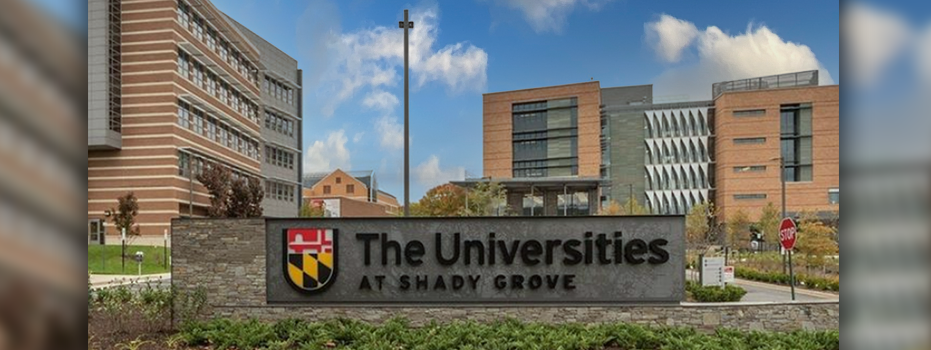
The Universities at Shady Grove
UNIVERSITIES AT SHADY GROVE
UMES offers bachelor degree programs in Hospitality & Tourism Management and Construction Management Technology at Universities at Shady Grove in Rockville, MD. Students interested in these program offerings must meet the admissions and prerequisite course requirements specific to each program. While each program requirement may vary, all applicants are required to submit a completed application along with official transcripts, admissions fees (a nonrefundable $35 application fee and $100 enrollment deposit), and a Maryland Residency Form (if a Maryland Resident).
INFORMATION FOR STUDENTS
APPLICATION REQUIREMENTS
STEP 1: Contact your academic support associate, Dr. Etahe Johnson if you have any questions. Email: ejohnson2@umes.edu | Phone: 410-651-6131
STEP 2: Receive approval from your Program Director to complete the UMES application for admissions.
STEP 3: Apply online. Be sure to select Shady Grove as your campus. Pay the non-refundable application fee of $35.
STEP 4: Send your required and supporting documents to the Office of Admissions & Recruitment (submit your official copy of your high school and/or college transcripts). Official transcripts must be submitted and sent directly from all schools attended, so that our Office of the Registrar can complete the official credit evaluation. Uploading or submitting a copy of your final transcript(s) to the Hawk Portal or to our main admissions email will not suffice, as it is still considered unofficial.
Transcripts can be sent electronically via:
- your school’s designated online transcript system
- Parchment or National Student Clearinghouse [Select “UMES undergraduate admissions” ONLY. If you do not see this option, please scroll to the next page. Keep a confirmation receipt for follow-up purposes].
- Baltimore Schools: https://bcsmd.scriborder.com/
STEP 5: Check your Hawk Portal for any missing action items. If you are missing any important information (transcripts, proof of residency, etc), it will delay your admissions decision!
STEP 6: Monitor the email address you provided on your application for important admissions information. Please add futurehawk@umes.edu to your contact list and check your spam and promotions folders, so you do not miss out on important information.
STEP 7: If you have completed and submitted all application documentation, and have already ordered and submitted your final transcripts, be advised that you must do the following to be matriculated in our system. For any next steps, respond to your admissions offer in the Hawk Portal by selecting enroll and paying your non-refundable $100 enrollment fee deposit.
Reminder: Please note, only completed applications will be reviewed and receive an admission decision.
NEXT STEPS AFTER ADMISSION
- Celebrate your admission!
- Confirm your enrollment (the link to confirm your enrollment can be found in your FutureHawk Portal).
- The $100.00 enrollment deposit is non-refundable.
- UMES Student ID Check your admission letter for your UMES Student ID Number. Memorize it or save it in your phone (you’ll need it later).
- Residency Verify your residency information on your acceptance letter. If you believe you are in-state and have been classified otherwise, contact us at umesadmissions@umes.edu.
- Add UMES to your FAFSA Submit your FAFSA application. You must complete and submit the FAFSA in order to be considered for financial aid and certain scholarships. Resources are listed online at the Office of Financial Aid.
- Mandatory Orientation New Hawk Day Orientation registration is required. Register in your Hawk Portal.
- New Student Account Creation After admission, use your UMES Student ID Number to set up your UMES New Student Account. After it is created, make note of your username and password to start receiving important information. Be sure to log into your myUMES to check your UMES student email (check your student email regularly).

- Transcript Requests Official final transcripts are required before you can attend class. Your school(s) should submit your final high school and/or college transcript(s) directly. If you’ve earned college credit by taking Advanced Placement (AP) or International Baccalaureate (IB) exams while in high school, you can provide official transcripts to UMES (AP and IB transcripts are in addition to your official final high school transcript). Deadlines for submissions: Spring – December 1st | Fall – August 1st! Uploading or submitting a copy of your final transcript(s) to the Hawk Portal or to our main admissions email will not suffice, as it is still considered unofficial. Transcripts can be sent electronically via:
- your school’s designated online transcript system
- Parchment or National Student Clearinghouse [Select “UMES undergraduate admissions” ONLY. If you do not see this option, please scroll to the next page. Keep a confirmation receipt for follow-up purposes].
- Baltimore Schools: https://bcsmd.scriborder.com/
- Contact your advisor Your advisor will be listed in your HawkWeb account to get your class schedule. Access via the MyUMES login. If you have trouble finding this information contact the Center for Access and Academic Success (CAAS).
- Select Hawk Web (student center)
- Select student center
- On the right-hand side, you will see a section that says advisor
- Hawk Payments Pay your student bill found on HawkWeb App.
- Select Hawk Web (student center)
- You can make a payment under the Finance tab
- On-Campus Housing Complete your housing reservation online using the following steps from Office of Residence Life (ORL) :
- Log in to MyUMES on a computer (not a mobile device). Click on the Hawkville icon (the maroon icon that has the image of a bed/house). Select and complete the correct application
- Pay the $300 deposit with a debit/credit card
- If you are requesting an exemption, complete the Office of Residence Life On-Campus Exemption Form.
- Find a Roommate If you’re looking for a roommate, download the ZeeMee app. You will be added to the UMES community and to the channel to chat with other prospective students who are also in search of a roommate during their college admissions process. College visits and UMES campus tours are a great chance to meet potential friends and roommates as you prepare to move to campus.
- Complete your Health and Immunization forms Submit to the Health Center by the deadline indicated on the form. You may have provided your medical records to your high school before you were able to enroll. Please request that your school forward your medical records to UMES, or provide them to you, before your graduation from high school. This will save you substantial delays in your enrollment process once you begin at UMES.
- Schedule a time to visit your new home.
- Take the Next Step. Congratulations again for joining the Hawk family! If you have questions about any part of the college admissions process or how to set up college visits, please reach out to us.
- Stay connected with our student lead social media team.
IMPORTANT DATES
STAY UP TO DATE
| Application Priority Deadline | November 15th |
| Fall Application Deadline | February 15th |
| Enrollment Deposit/College Decision Day | May 1st |
| Free Application for Federal Student Aid (FAFSA) UMES School Code: 002106-00 | Oct 1st |
| Fall Semester | Semester begins towards the end of August* Applications close on August 1st |
| Spring Semester | Semester begins towards the end of January* Applications close on December 1st |
Reminder: To stay up-to-date with the University of Maryland Eastern Shore, please view our Academic Calendar for any other departmental deadlines and campus closures.
CONTACT US
For any questions about your application, please contact the Office of Admissions & Recruitment.
Normal Hours of Operation:
Monday-Friday: 8:00 am-4:30 pm
Office of Admissions and Recruitment
1 College Backbone Road (SDC-Suite 1140) Princess Anne, MD 21853
PHONE: (410) 651 – 6410 | EMAIL: UMESADMISSIONS@UMES.EDU | FAX: (410) 651 – 7922 |
